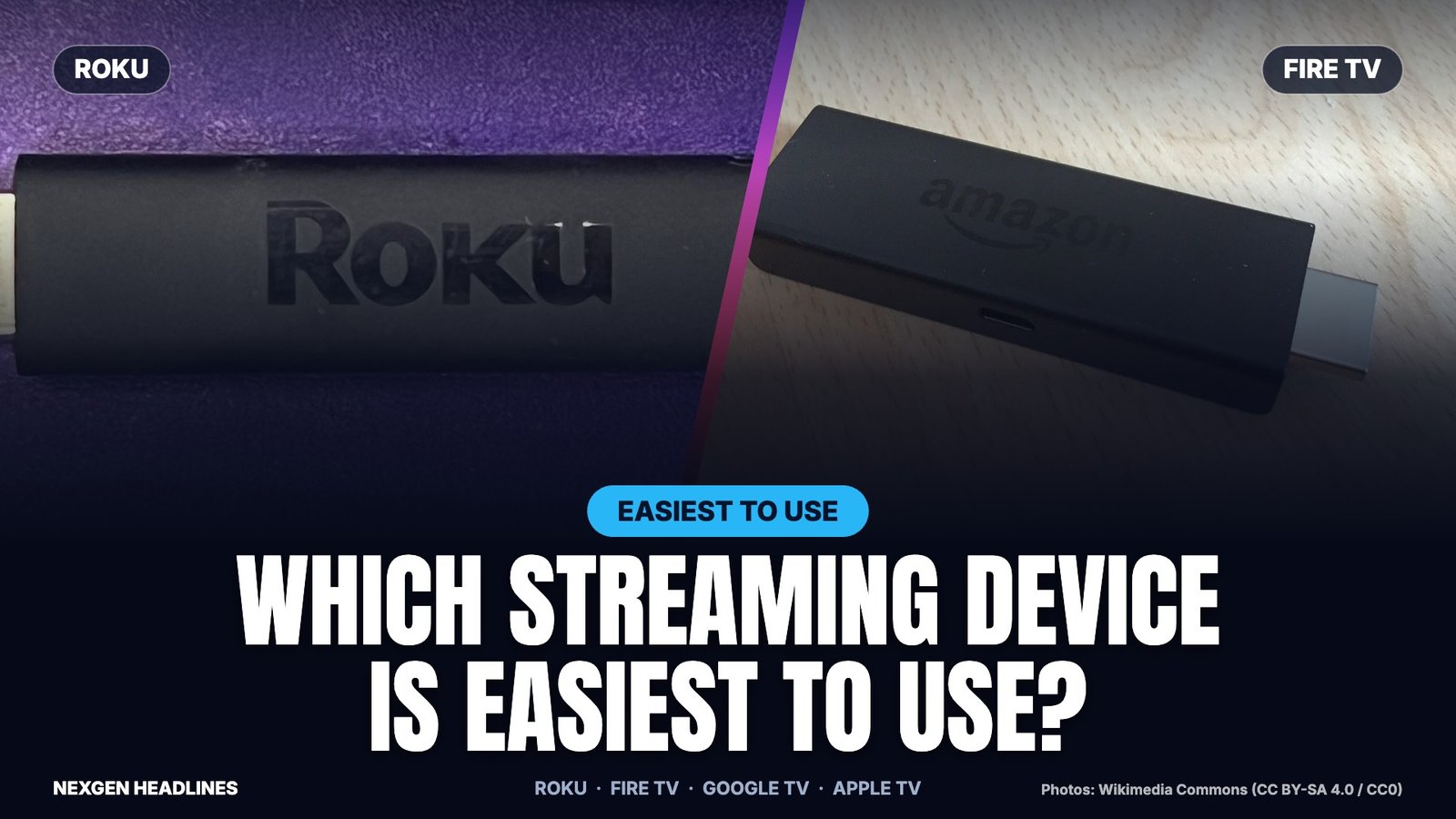

Quick answer: Roku is the easiest streaming device to use for most people. It has a plain grid of apps and a simple remote. Apple TV is the smoothest and has the fewest ads. Fire TV is best if you use Alexa and Prime Video. Google TV is best if you want one list of shows from every app.
This guide explains how each one feels day to day. We focus on the home screen, the remote, ads, speed and setup. We do not repeat our full price comparison, which is in our Roku vs Fire TV vs Google TV vs Apple TV guide.
Easiest streaming device to use: the short comparison
| Device | Home screen | Remote | Ads on home screen | Best for |
|---|---|---|---|---|
| Roku | Simple grid of app tiles | Few buttons, easy to learn | Yes, some | First-time users and older relatives |
| Apple TV 4K | Apps in rows, very clean | Touch-style Siri Remote | Very few | iPhone households |
| Fire TV | Content rows, Prime Video first | Alexa voice button | Yes, many | Alexa and Prime members |
| Google TV | “For You” shows from all apps | Voice search button | Some | People who browse by show, not app |
This table describes how each platform is designed. Software updates change screens often, so your device may look slightly different.
What “easy to use” really means
Most people judge a streaming device on five things. Here is how we weigh them.
- Home screen: can you find your app in under five seconds?
- Remote: are the buttons few and clearly labeled?
- Speed: do menus open right away, or do they lag?
- Ads: does the home screen push shows you did not pick?
- Setup: can you finish it without calling a relative?
Roku: the simplest home screen
Roku is the easiest to learn. The home screen has long been a grid of app tiles. You pick Netflix, Hulu or YouTube the same way every time.
The remote has few buttons. Most people understand it within minutes. It also has shortcut buttons for popular services.
Roku also offers The Roku Channel, which has free shows with ads. That helps if you want to watch without another subscription.
The catch: Roku shows ads and promotions on the home screen. Some reviewers also say Roku has added more content rows and ads over time. The basic layout is still easy to follow.
Roku is a strong pick for parents, grandparents and anyone who dislikes new technology.
Apple TV 4K: the smoothest and cleanest
Apple TV feels the fastest. Menus open quickly and the screen is uncluttered. You will see far fewer ads than on Fire TV or Roku.
Apple TV runs on tvOS. You choose the apps you want and arrange them yourself. There is little free content built in, so you install apps like Pluto TV for free shows.
The Siri Remote uses a touch-style clickpad. Some people love it. Others press the wrong button by accident.
The catch: Apple TV costs more than a stick. It works best if you already own an iPhone, because setup and AirPlay are easy from the phone.
Fire TV: best with Alexa and Prime Video
Fire TV is built around Amazon. The home screen puts rows of movies and shows near the top. Prime Video content is easy to find.
The Alexa voice remote is the main strength. You can say “Alexa, open Netflix” or ask for a show by name. It also controls many smart-home devices.
The catch: The screen is busy and has many promotions. Older users often find it more crowded than Roku. Amazon also changes the layout from time to time.
Google TV: best for browsing by show
Google TV lists shows from many apps in one place. The “For You” and Watchlist rows suggest what to watch next. You can add a show to your list on your phone and find it on the TV.
This is helpful if you hate opening four apps to find one movie. Google TV also works well with Google Home and Android phones.
The catch: The recommendations can feel busy. A reader poll on Cord Cutters News ranked Google TV last for ease of use (see below).
What readers say: a poll, not a lab test
Cord Cutters News asked readers which player is easiest to use. The poll ran in July 2023, so treat it as opinion and not a test. Here are the results from that poll.
- Roku: 51%
- Apple TV: 27.6%
- Fire TV: 13.2%
- Google TV: 8.2%
Our view matches the poll. Roku wins on simplicity, and Apple TV wins on polish. Check the sources at the end for the original article.
Which streaming device is best for seniors?
Roku is usually best for seniors. The grid is predictable and the remote has few buttons. A relative can also set it up once and leave it alone.
Tips that help older users:
- Move their top three apps to the first row.
- Pick a remote with large buttons and a headphone jack if hearing is a problem.
- Turn on captions in the device settings.
- Write the Wi-Fi password on a card and tape it near the TV.
Which device is fastest?
Apple TV 4K is usually the fastest, followed by Google TV Streamer and the higher-end Fire TV and Roku models. Cheap sticks can feel slow when many apps are installed.
If menus lag, buy a model with more memory instead of a bargain stick. Slow menus are the top reason people say they dislike a device.
How to set up any streaming device in 5 steps
- Plug the device into an HDMI port on your TV and connect power.
- Pick the right input on the TV, such as HDMI 2.
- Pair the remote and choose your Wi-Fi network.
- Sign in to your account (Roku, Amazon, Google or Apple).
- Install and sign in to each streaming app, such as Netflix and Disney+.
Allow 10 to 20 minutes. Keep your passwords ready before you start.
Roku vs Fire TV: which is easier?
Roku is easier for most people. Its layout stays the same from one visit to the next. Fire TV has more rows, more promotions and more menus.
Fire TV wins in one case. If you already say “Alexa” at home, the voice remote saves time. You can find a show by speaking, instead of typing with the on-screen keyboard.
Roku also has a mobile app that works as a remote and a keyboard. It helps when you lose the remote or need to type a long password.
What if your TV already has Roku, Fire TV or Google TV built in?
Many new TVs include one of these systems. In that case you do not need a separate device to get the same screens. Use the built-in system first and see if it feels fast.
Buy a separate stick or box only if:
- The menus are slow or freeze.
- The TV no longer gets app updates.
- You want a different interface than the one on your TV.
- You want better sound or picture formats, such as Dolby Vision.
A stick also moves with you. You can take it on a trip and plug it into a hotel TV, if the hotel Wi-Fi allows it.
Which interface is best for kids?
All four platforms have parental controls. Set a PIN for purchases and choose content ratings in the settings menu. Roku and Apple TV are easy for kids to navigate because the layouts are simple and predictable. On Fire TV, check the promotions row, which may show shows you do not want children to see.
Common mistakes to avoid
- Buying a 1080p stick for a 4K TV. Pick a 4K model if your TV supports it.
- Ignoring Wi-Fi. A weak signal causes buffering. Use an Ethernet cable if your TV is far from the router.
- Choosing the wrong ecosystem. iPhone households often prefer Apple TV. Alexa homes often prefer Fire TV.
- Paying for a box you do not need. Many smart TVs already run Roku, Fire TV or Google TV.
- Skipping the free apps. Roku Channel, Pluto TV and Tubi can replace a paid service. See our best free streaming services guide.
How much do streaming devices cost?
Prices change often, and stores run sales. In 2026, retailer listings and Consumer Reports showed roughly these U.S. ranges. Check the price on Amazon before you buy.
- Roku and Fire TV 4K sticks: about $40 to $60
- Google TV Streamer: about $100
- Apple TV 4K: about $129 and up
Want to spend less? Read our Fire TV and Roku deals page before Black Friday.
Recommended products
- Roku Streaming Stick 4K – The simplest home screen and remote.
- Amazon Fire TV Stick 4K – Alexa voice remote and Prime Video.
- Google TV Streamer – One list of shows from every app.
- Apple TV 4K – The fastest, cleanest screen.
Disclosure: As an Amazon Associate, Nexgen Headlines earns from qualifying purchases.
Frequently asked questions
Which streaming device is easiest for beginners?
Roku. Its grid of apps and simple remote are the easiest to learn.
Which streaming device has the fewest ads?
Apple TV 4K usually shows the fewest ads. Fire TV and Roku show more promotions on the home screen.
Do I need a streaming device if I have a smart TV?
Not always. Many smart TVs run Roku, Fire TV or Google TV. A separate device helps if your TV feels slow or no longer gets app updates.
Can I use Netflix and Disney+ on all four devices?
Yes. All major U.S. streaming apps work on Roku, Fire TV, Google TV and Apple TV. Check the app store on your device if an app is missing.
Is it hard to switch from one device to another?
No. You sign in to each app again. Your watch lists stay with each streaming account.
Our verdict
Buy Roku if you want the easiest option. Buy Apple TV if you want speed and fewer ads. Pick Fire TV if you live in the Alexa and Amazon world. Choose Google TV if you like browsing by show.
Now lower your monthly bill too. See our best streaming bundles for the cheapest way to pay for the apps you watch.
Sources: Cord Cutters News reader poll (July 2023); Roku; Apple TV 4K; Google TV; Amazon Fire TV; Consumer Reports. Photo credits: Roku stick by TaurusEmerald (CC BY-SA 4.0) and Fire TV stick by ubahnverleih (CC0), via Wikimedia Commons. Last reviewed: Oct. 20, 2026.