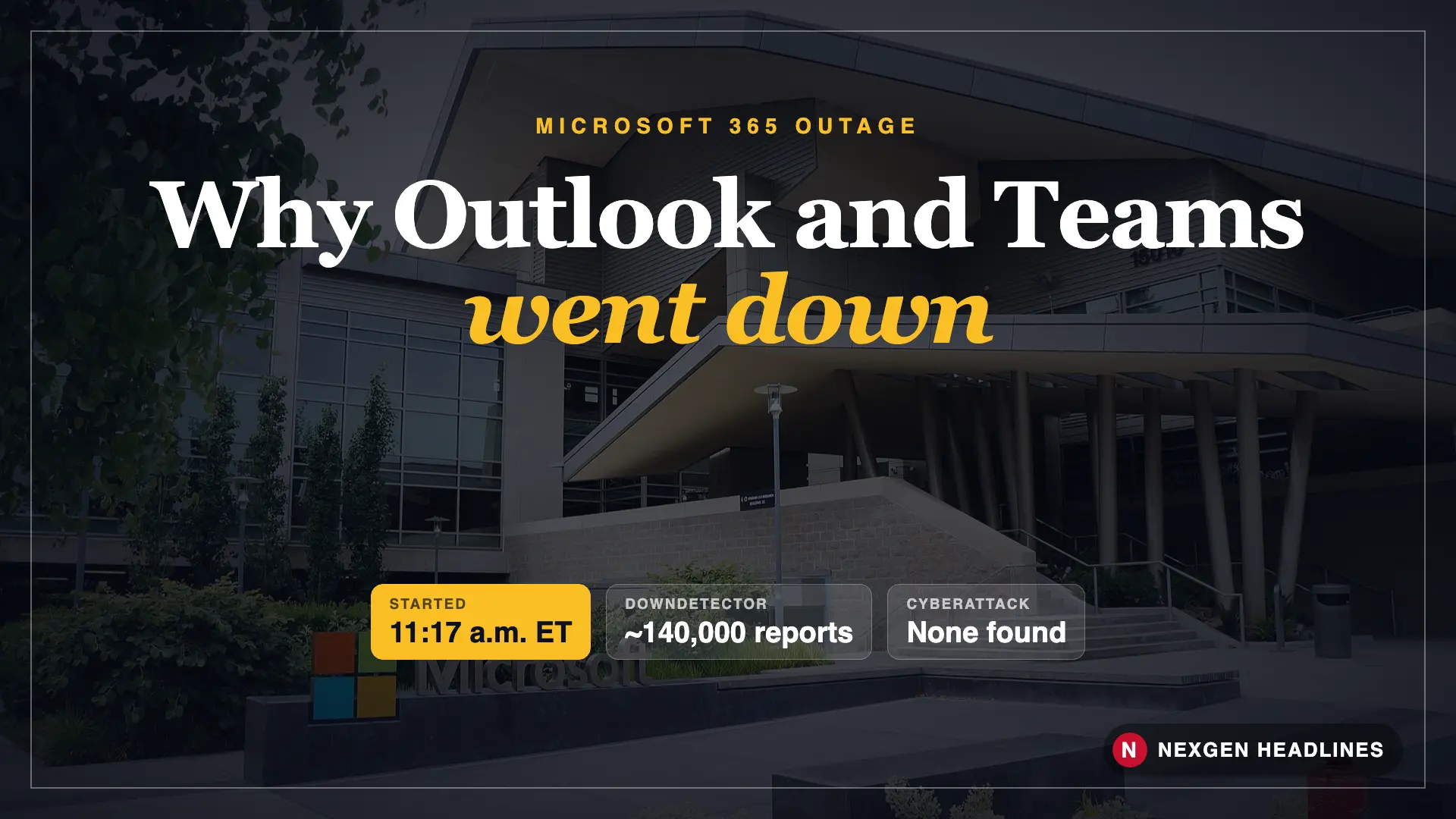

Quick answer: As of Nov. 13, 2026, Microsoft says Outlook email is “approaching normal levels” after a large Microsoft 365 outage that began around 11:17 a.m. ET on Thursday, Nov. 12. Outlook, Exchange Online and Teams were hit hardest. Microsoft says it found no sign of a cyberattack. It has tied the problem to overloaded servers and a recent network configuration change, but the final root cause is not confirmed yet.
Here is what happened, the full timeline, what you should do now, and how to protect yourself the next time Microsoft goes down.
| At a glance | What we know |
|---|---|
| When it started | About 11:17 a.m. ET, Thursday, Nov. 12, 2026 (Exchange Online incident) |
| Services hit | Outlook (web, desktop and mobile), Exchange Online, Teams, plus reports for OneDrive and Copilot |
| How many reports | About 140,000 Downdetector reports from 74 countries by that evening (per Wikipedia’s summary of Downdetector data) |
| Cyberattack? | No. Microsoft said it was “not aware of any malicious activity” |
| Likely cause | Overwhelmed servers and a recent network configuration change, which Microsoft began rolling back. Final cause not confirmed. |
| Incident IDs | EX1550543 (Exchange Online) and MO1550821 (Microsoft 365) |
| Status on Nov. 13 | Email “approaching normal levels” (CNN live blog); Microsoft still monitoring |
What happened with Microsoft on Nov. 12?
Around late morning on the East Coast, people started losing access to Outlook email. Some could not log in. Others saw an empty inbox or emails that would not send.
Soon after, Teams chats began failing too. Microsoft’s status notes said users in the Americas saw delayed and failed chat messages and wrong “available/away” presence for about an hour in the afternoon.
The trouble spread fast because so many U.S. offices, schools, hospitals and city governments run on Microsoft 365. In Canada, CP24 reported that hospitals, universities and Via Rail were affected. The outage dragged into the night and into Friday, Nov. 13.
For a lot of workers, it meant a lost afternoon. For small businesses, it meant missed customer emails and invoices sitting in limbo.
Timeline: how the outage unfolded
All times are Eastern and based on Microsoft status updates as reported by news outlets. Some details changed during the day, so treat early times as approximate.
| Date and time (ET) | What happened |
|---|---|
| Tue., Nov. 10 | Microsoft’s monthly Patch Tuesday updates go out. Microsoft has not linked them to the outage. |
| Thu., Nov. 12, ~11:17 a.m. | Exchange Online incident begins. Outlook users report login and email failures. |
| Nov. 12, ~12:50 p.m. | Downdetector shows 2,400+ Outlook reports (GV Wire, as of 9:50 a.m. PT) and climbing. |
| Nov. 12, early afternoon | Microsoft cites “elevated load” after many servers became “unexpectedly unavailable.” |
| Nov. 12, 2:45–3:53 p.m. | Separate Teams incident: delayed and failed chats and presence problems in the Americas. |
| Nov. 12, afternoon | Microsoft says a process that sets up secure connections on the servers got overwhelmed. It starts rolling back a recent network configuration change. |
| Nov. 12, evening | Downdetector reports reach about 140,000 across 74 countries. Restarting servers shows “signs of improvement.” |
| Fri., Nov. 13 | Microsoft says email is “approaching normal levels.” It keeps monitoring before calling it fully fixed. |
What caused the Microsoft outage?
The honest answer: Microsoft has not given a final root cause yet. Its explanation also shifted during the day.
- First update: Microsoft said servers became “unexpectedly unavailable,” which pushed extra load onto the rest. It also said it had not found any recent change linked to the start of the problem.
- Later update: Microsoft said a process that handles secure connections on the affected servers got overwhelmed, so the servers stopped handling requests.
- Then: Microsoft said it was reverting “a recent network configuration change” that lined up with the start of the outage.
Some tech reporters, citing The Verge, tied the trouble to Azure network configuration changes. That has not been confirmed by Microsoft. A full post-incident report usually comes out within days to a few weeks, and it should settle the question.
What we can say: a Microsoft executive reportedly confirmed it was not a security breach, and the company said it saw no malicious activity.
Was my data hacked or lost?
Based on everything Microsoft has said, no. This was an availability problem, not a breach. Your email and files should still be there.
In most outages like this, emails sent to you during the downtime are queued, not deleted. They usually land in your inbox once service comes back, sometimes hours late.
The bigger risk now is scammers. Big outages are a gift to phishing crews. Expect fake “Microsoft account suspended” or “re-verify your Outlook” emails over the next few days.
Watch out: Microsoft will not email you asking for your password because of the outage. Do not click “restore your mailbox” links. Go to outlook.com or office.com by typing it yourself.
What to do now: 7 steps
- Check the official status first. Visit the Microsoft 365 Service Status page or the Microsoft 365 Status account on X. If you are an IT admin, look up incidents EX1550543 and MO1550821 in the admin center.
- Restart Outlook and Teams. Fully quit the app, then reopen it. On a phone, close it from the app switcher.
- Try the web version. If the desktop app is stuck, open Outlook on the web. The reverse can work too.
- Look in your Outbox. Emails you sent during the outage may be stuck there. Resend anything important.
- Re-check deadlines. If a bill, invoice or job application email went out on Nov. 12, confirm it arrived.
- Do not reset your password just because of the outage. Mass password resets during an outage can lock you out. Change it only if you clicked a suspicious link.
- Report phishing. Forward fake Microsoft emails using Outlook’s Report button, and report scams to the FTC at ReportFraud.ftc.gov.
Also read: Credit Card vs. Debit Card Fraud: How Much Are You Liable For?
Who was affected the most?
| Group | How it hit them |
|---|---|
| Office workers | No email, failed Teams meetings and chats for hours |
| Small businesses | Missed customer emails, orders and invoices |
| Schools and colleges | Students and teachers locked out of class email and Teams |
| Hospitals and public services | Slower internal messaging; CP24 reported hospitals and Via Rail in Canada were affected |
| Home users | Outlook.com and Hotmail login and loading problems |
A made-up example
These are made-up examples to show how the steps work.
Maria runs a two-person bookkeeping shop in Ohio. At noon on Nov. 12, Outlook stops loading. She sends three client invoices from her phone, but they sit in the Outbox. On Friday morning she checks the Outbox, sees them stuck, and resends. She also texts her biggest client to confirm. Total cost: 10 minutes instead of a late-payment mess.
Dave, a retiree in Arizona, gets an email Friday saying “Your Microsoft account will be closed due to the outage. Verify now.” He remembers that Microsoft does not ask for passwords by email. He deletes it and reports it to ReportFraud.ftc.gov.
Will Microsoft pay me back for the outage?
For most home users with free Outlook.com accounts, no. There is no payment for downtime.
Business customers are different. Microsoft 365 business plans come with a service level agreement (SLA) that promises a monthly uptime level. If uptime drops below it, an admin can request service credits, which are a discount on a future bill, not cash.
Credits are not automatic. Your company’s Microsoft 365 admin has to file a claim through the admin center, with incident details. Whether this outage qualifies depends on Microsoft’s final numbers for the month.
How to be ready for the next outage
- Keep a backup contact method for key clients, like a phone number or second email from another provider.
- Turn on Outlook’s offline mode (cached mode) on your computer so you can still read older emails.
- Save important files locally, not only in OneDrive, if you need them on deadline days.
- Bookmark the status page so you are not guessing whether it is your Wi-Fi or Microsoft.
- Small businesses: write a one-page “if email is down” plan. Who calls whom, and where do orders go?
What happens next
Here are the key things to watch over the next few days:
- Full recovery notice: Microsoft has not yet said every service is fully back. Watch the status page for the incident to be closed.
- Post-incident report: Microsoft usually publishes a preliminary review in the admin center. It should confirm whether the network change was the trigger.
- Phishing wave: Expect fake outage emails and texts for at least a week.
- Business credits: Admins may file SLA claims once monthly uptime numbers are known.
We will update this page with a dated note at the top when Microsoft confirms the cause.
FAQ
Is Microsoft Outlook still down?
As of Nov. 13, 2026, Microsoft says email is approaching normal levels, but it is still monitoring. Some users may still see delays. Check the Microsoft 365 Service Status page for the latest.
Was the Microsoft outage a cyberattack?
Microsoft says no. It said it was not aware of any malicious activity, and a Microsoft executive reportedly confirmed it was not a security breach.
Did I lose the emails sent to me during the outage?
Probably not. Incoming emails are usually queued and delivered once service recovers. Check your Outbox for anything you sent that may be stuck.
Should I change my Microsoft password?
Not because of the outage itself. Change it only if you clicked a suspicious “verify your account” link or entered your password on a fake page.
Can my business get money back?
Business plans may qualify for service credits under Microsoft’s SLA if monthly uptime falls below the promised level. An admin must file the claim. Free consumer accounts do not get credits.
Bottom line
The Nov. 12 Microsoft 365 outage knocked out Outlook and Teams for hours across the U.S. and beyond, with about 140,000 Downdetector reports. Microsoft says it was not an attack, and email is recovering. Check your Outbox, resend what matters, and ignore any email asking you to “re-verify” your account.
Last reviewed: Nov. 13, 2026. This is a developing story. We will add a dated update at the top when Microsoft confirms the root cause.
Sources: CNN live updates (Nov. 12–13, 2026), SecurityWeek, Tom’s Guide, XDA Developers, CP24, GV Wire, Wikipedia: 2026 Microsoft outage, FTC ReportFraud.
Featured image: Building 92, Microsoft Redmond campus. Photo: Jiaqian AirplaneFan / Wikimedia Commons, CC BY 3.0; edited by Nexgen Headlines.