
Netflix is still one of the most popular streaming services in the U.S., but after its March 2026 price increase, paying full price for Premium costs $26.99 a month. Most people can pay a lot less, and some pay nothing extra at all because Netflix already comes with their phone plan. Here is every way to get Netflix in 2026, from cheapest to most expensive.
Quick answer
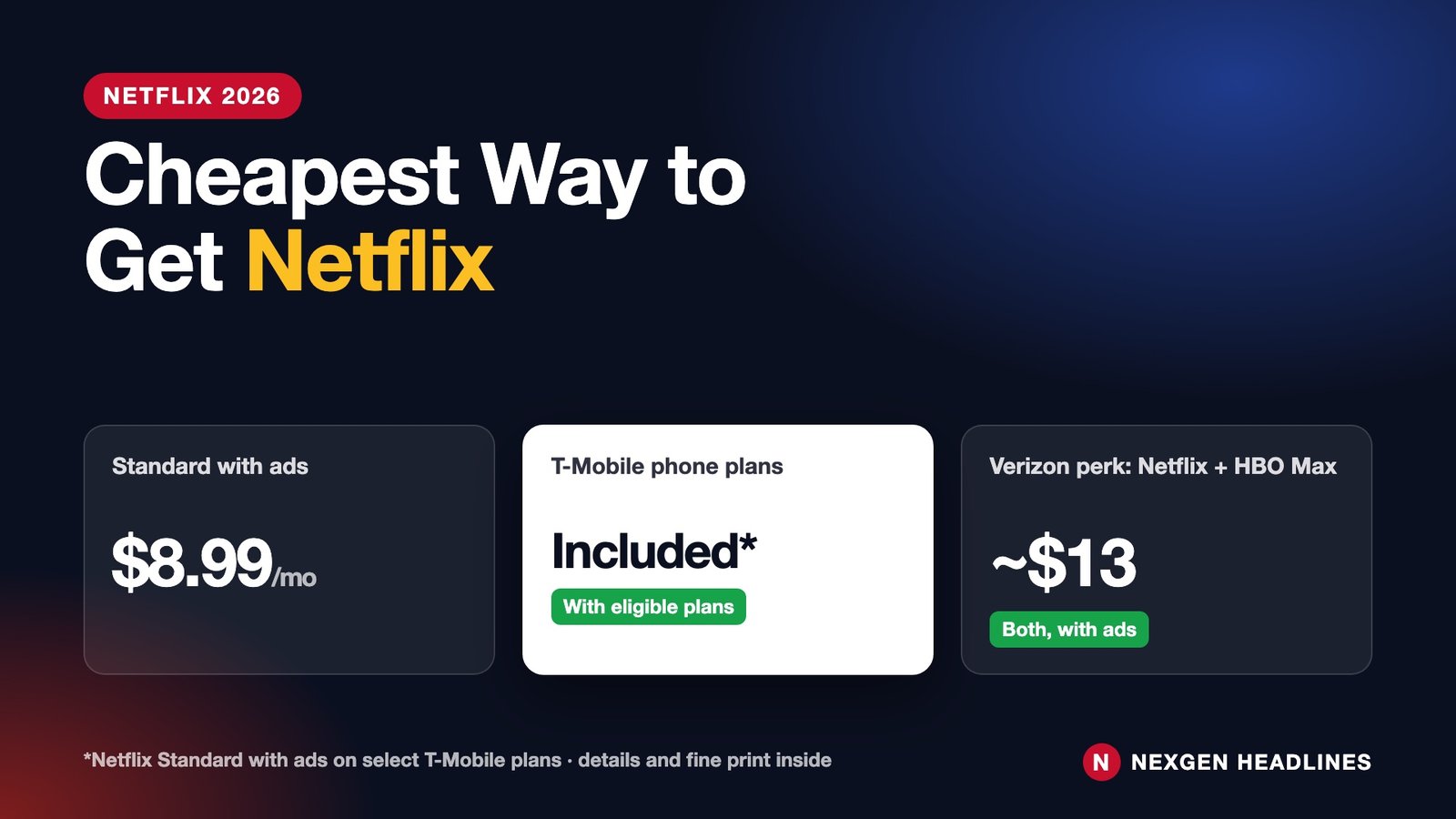
- $0 extra: eligible T-Mobile plans include Netflix Standard with ads.
- Cheapest direct plan: Netflix Standard with ads, $8.99 a month.
- Best phone perk deal: Verizon’s Netflix and HBO Max (with ads) perk, about $13 a month for both.
- No ads for less: share a Standard or Premium plan by adding an “extra member” for $9.99 a month.
📱 Short on time? Swipe through the 1-minute Web Story version.
Netflix plans and prices (U.S., October 2026)
| Plan | Price per month | What you get |
|---|---|---|
| Standard with ads | $8.99 | HD, 2 screens, ads |
| Standard | $19.99 | HD, 2 screens, no ads, 1 extra member slot |
| Premium | $26.99 | 4K, 4 screens, no ads, 2 extra member slots |
| Extra member (with ads) | $7.99 | Added to a Standard or Premium account |
| Extra member (no ads) | $9.99 | Added to a Standard or Premium account |
Extra members must live in the same country as the account owner and can’t be added to the Standard with ads plan.
5 ways to pay less for Netflix
1. Check your phone plan first
T-Mobile includes Netflix Standard with ads at no extra cost on many plans, including multi-line Go5G and Magenta plans and single-line plans such as Experience More and Experience Beyond. You pay only if you upgrade to an ad-free plan. Check the “Netflix On Us” page in your T-Mobile account.
2. Use a Verizon perk
Verizon myPlan and myHome customers can add Netflix and HBO Max, both with ads, as a perk for about $13 a month, less than the two services cost separately.
3. Bundle through your internet provider
Xfinity StreamSaver bundles Netflix (with ads), Peacock Premium and Apple TV for Xfinity customers at a discount. Compare it with the other options in our streaming bundle comparison.

4. Share the right way
If someone outside your household wants to use your account, Netflix’s paid “extra member” add-on is cheaper than a second full account. The extra member gets their own profile and login.
5. Rotate instead of keeping it all year
Subscribe for the month a show you want drops, binge it, then cancel. Netflix keeps your profile, so you can come back later. Four months a year on the ad plan costs about $36 instead of $108.
Which option is best for you?
| You are… | Cheapest way |
|---|---|
| A T-Mobile customer on an eligible plan | Use the included Netflix with ads |
| A Verizon customer who also wants HBO Max | The Netflix + HBO Max perk |
| An Xfinity internet customer | StreamSaver bundle |
| Fine with ads | Standard with ads, $8.99 |
| Sharing with family in another home | Standard or Premium + extra member |
⚠️ Watch out for “free Netflix” ads and texts asking you to log in or update payment details. They are a common phishing scam. See how to spot scam texts.
Watching on an older streaming stick? Which box you use affects picture quality and how long the hardware stays usable — see our comparison of Roku, Fire TV, Google TV and Apple TV.
How to switch to a cheaper Netflix plan (step by step)
- Sign in at netflix.com on a web browser (the app may not show every option).
- Click your profile icon, then Account.
- Under Membership, choose Change plan.
- Pick the plan you want, such as Standard with ads, and confirm.
- The new price starts on your next billing date. You keep your current plan until then.
If you pay through Apple, Google Play, your cable company or your phone carrier, you may need to change the plan there instead. Our guide to cancelling streaming subscriptions shows how to find out who bills you.
Is the ad plan worth it?
For most viewers, yes. Standard with ads costs $8.99 a month, compared with $26.99 for Premium, a difference of $18 a month or $216 a year. Here is what you give up:
- Short ad breaks before and during most shows and movies.
- Fewer screens: two at once instead of four on Premium.
- No 4K: you get HD, which looks fine on most TVs under 55 inches.
- Limited downloads for watching offline.
If you mostly watch alone or with one other person, on a phone, laptop or smaller TV, the ad plan saves real money with little downside. Families watching on several TVs at once, or anyone with a large 4K TV, may still prefer Standard or Premium.
Rotate instead of paying all year
One of the easiest ways to cut your streaming bill is to subscribe to one service at a time. Netflix has no contract, so you can pause your spending without losing your account:
- Subscribe for one or two months when a show you want is out.
- Binge what you came for.
- Cancel before the next billing date. Netflix keeps your profiles and viewing history for a while, so restarting later is easy.
- Switch to another service for the next month or two.
Example: three months of Standard with ads costs about $27, compared with about $324 for a full year of Premium. Even a full year of the ad plan costs about $108.
Mistakes that make Netflix cost more
- Paying for Premium you don’t use. Check how many screens your household actually uses at the same time.
- Paying twice. If your phone plan or a bundle already includes Netflix, cancel your separate subscription so you are not billed twice.
- Forgetting free-trial or promo end dates. Set a phone reminder two days before any promotional price ends.
- Sharing passwords outside your home. Netflix now charges for extra members in other homes. Make sure the “extra member” fee is cheaper than that person just getting their own ad plan.
- Clicking “Netflix payment failed” texts or emails. These are common scams. Check your account only by typing netflix.com yourself.
What you need to watch Netflix on your TV
Almost every smart TV has the Netflix app. If yours is old or slow, a streaming stick is the cheapest upgrade. Our best streaming devices guide compares Roku, Fire TV, Google TV and Apple TV. To cut your bill further, see our guide to streaming bundle packages, which shows when a bundle beats paying for services one by one.
Recommended products
- Amazon Fire TV Stick 4K – Turns any TV with HDMI into a Netflix-ready smart TV.
- Roku Streaming Stick 4K – Simple remote with a Netflix button.
- Google TV Streamer – Recommends shows across all your apps.
Disclosure: As an Amazon Associate, Nexgen Headlines earns from qualifying purchases. Prices and availability can change.
Does Netflix offer student, senior or military discounts?
Netflix does not sell its own student, senior or military plans in the U.S. Every account pays the same listed price for its plan. The real discounts come from other companies that include Netflix as a perk, such as some phone plans and bundles listed above. Be careful with websites or social media ads offering “Netflix discount codes” or “free Netflix for a year.” Netflix does not offer these, and they are a common way scammers collect card numbers and passwords.
Netflix gift cards are sometimes sold at a small discount during holiday sales at big retailers. Buying one at a discount and using it to pay your bill is a safe way to save a few dollars, as long as you buy it from a store you know.
Bottom line on price: for most U.S. households, the cheapest smart setup is Standard with ads at $8.99 a month, or $0 extra if your phone plan already includes Netflix. Rotate it with other services instead of keeping everything all year, and review your plan every few months, because Netflix raises prices from time to time.
Frequently asked questions
What is the cheapest Netflix plan?
Standard with ads at $8.99 a month, unless your phone plan includes it for free.
Is Netflix free with T-Mobile?
On many eligible T-Mobile plans, yes: Netflix Standard with ads is included. Check your plan.
How much is a Netflix extra member?
$7.99 a month with ads or $9.99 without ads, added to a Standard or Premium plan.
Can I get Netflix in a bundle?
Yes, through partners such as Xfinity StreamSaver or Verizon perks. Netflix doesn’t sell its own bundle.
Last reviewed: October 10, 2026. Streaming prices and menus change often; check the service’s own site before you pay.
Sources: Netflix Help Center: Plans and pricing; Netflix Help Center: How to change your plan.